
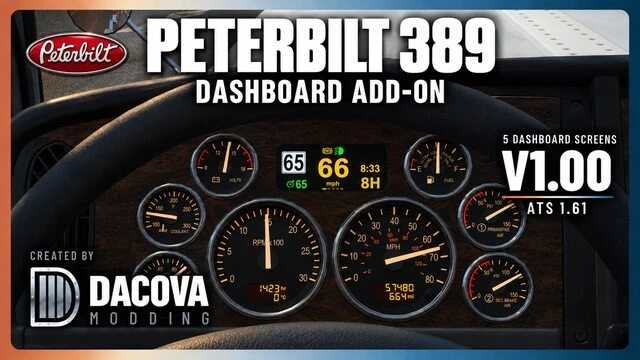


Five new dashboard pages replace the original digital computer on the SCS Peterbilt 389 in American Truck Simulator. DRIVE shows a big central speed read‑out, posted speed limit, gear, clock, cruise‑control status and differential‑lock indicators. FUEL gives average and instant fuel consumption, estimated range, trip distance and tank‑percentage. TRIP displays a central odometer, trip distance, ETA, elapsed trip time and time‑until‑rest. ENGINE monitors oil and coolant temps, oil pressure and battery voltage, flashing yellow “CHECK” and red “STOP” warnings. AIR / BRAKES shows air pressure and a brake‑pedal application bar. Small page markers indicate which screen is active; the current one glows brighter. Cycle screens with the game’s dashboard‑display command – the original upper digital pages are gone, but all analog gauges, lower LCDs and the stock GPS stay intact. Labels are English; the TRIP screen is fixed to miles, so set miles in the game’s unit options. Other units follow your game settings. ETA works only with navigation data, and REST IN appears only if fatigue simulation is enabled. Features depend on the truck’s equipment and ATS signals.
INSTALLATION AND LOAD ORDER
Install the .scs file and enable it – only one copy should be active. Place this mod above any other mods that modify the truck’s dashboard, GPS or on‑board computer to avoid conflicts. No other dashboard mod is required; it’s built for the SCS Peterbilt 389. Optional convoy support works when the server permits optional mods. Tested on ATS 1.61 (1.61.3.18s); other versions unverified.
Credits:
Dacova



⭐ Bu Moda Puan Verin
Deneyiminizi diğer oyuncularla paylaşın!